

If you’ve seen a Progress Learning login screen on your school’s single sign-on dashboard, you’re looking at one of the most sophisticated standards-aligned tools in modern K-12 education. But what is Progress Learning, exactly? For many, it starts as just another icon on a screen, but for high-performing districts, it is a diagnostic engine designed to bridge the massive gap between daily classroom instruction and high-stakes state testing.
In 2026, the educational landscape is no longer about just “passing” a class. It is about proving mastery in a data-driven environment. By focusing on “Prescriptive Mastery,” the platform ensures that students aren’t just busy—they are getting exactly what they need to succeed. Whether you are looking for Progress Learning answers to improve your scores through legitimate practice or trying to navigate your personalized Progress Learning study plan, this guide breaks down how to maximize the platform for real academic growth.
Table of Contents
- Mastering the Progress Learning Login (Clever & ClassLink)
- The Anatomy of a Progress Learning Study Plan
- The “Command Center”: A Teacher’s Secret Weapon
- From Liftoff to SAT Prep: K-12 Grade-Specific Strategies
- Beyond the Classroom: Managed IT and Technical Synergy
- Comparison: Progress Learning User vs. The Passive Student
- The Ethical Dilemma: Why Searching for “Answers” is a Dead End
- Frequently Asked Questions (FAQs)
- Final Thought: Why Standards-Aligned Practice Wins in 2026
Mastering the Progress Learning Login
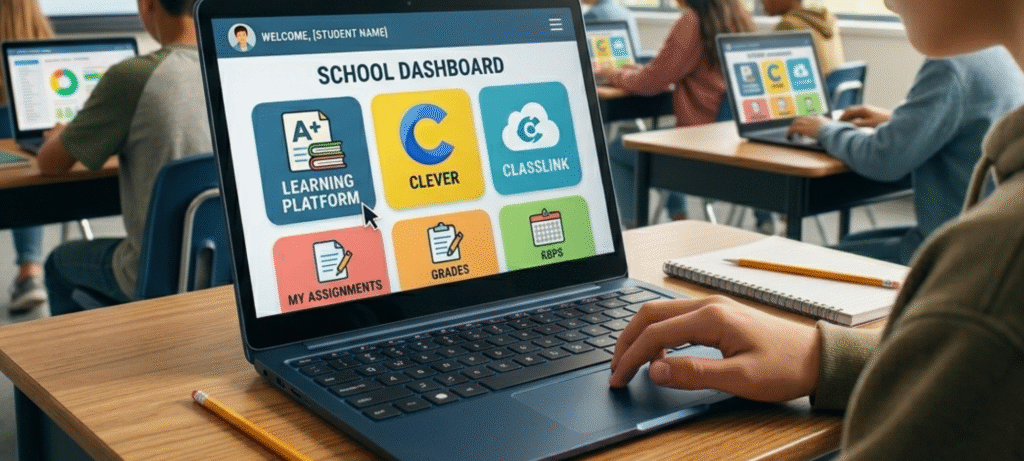
The first hurdle for any student or educator is the entry point. In 2026, the traditional username-and-password method is nearly obsolete in schools. The most common way to access the Progress Learning login is through Single Sign-On (SSO) integrations.
- For Students: Most districts integrate the platform directly into Clever or ClassLink. Simply clicking the Progress Learning icon in your portal bypasses the need for manual credentials. It syncs your specific class roster and assigned tasks instantly.
- For Teachers: Once you log in, you aren’t just seeing a student view. You are greeted by the “Command Center,” a dashboard that provides a bird’s-eye view of your entire classroom’s performance metrics.
For school administrators, maintaining this seamless access is a technical priority. This is why many top-tier districts are pairing their software suites with Managed IT Services for Education to ensure that during “Testing Season,” the servers don’t lag and the login process remains instantaneous.
The Anatomy of a Progress Learning Study Plan
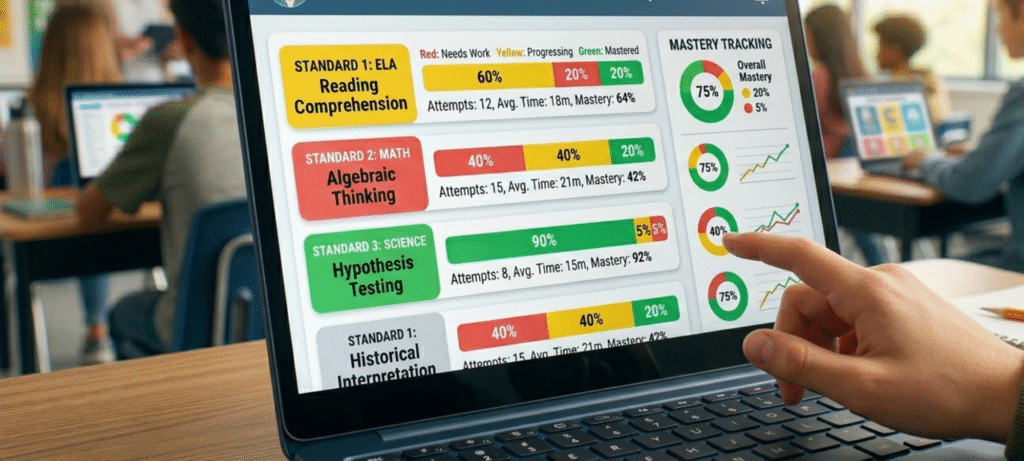
If the login is the door, the Progress Learning study plan is the roadmap. One of the most frequent questions from new users is, “What should I be working on?” The answer is always found in the diagnostic results.
When a student first engages with a subject, the platform administers a diagnostic test. This isn’t a “test” in the scary, graded sense—it is a heat map for your brain. Once finished, the system generates a study plan where specific state standards are color-coded:
- Red: Standards where you have significant gaps.
- Yellow: Standards you partially understand but haven’t mastered.
- Green: Standards you have “turned the star green” on, indicating mastery.
Your goal is simple: move the red to green. This targeted approach is far more efficient than traditional homework because it doesn’t waste your time on things you already know. This level of granular tracking is a trend we see in other high-performance industries as well. For instance, Modern Technology at HomeRocketRealty allows property owners to monitor specific home efficiency metrics in the same way a student monitors their own academic “efficiency” through their study plan.
The “Command Center”: A Teacher’s Secret Weapon
From a teacher’s perspective, the platform is a massive time-saver. Imagine trying to create 30 different homework assignments for a class where five kids are struggling with fractions, ten are ready for algebra, and the rest are somewhere in the middle. Doing this manually is impossible.
Through the “Command Center,” a teacher can assign a “Scavenger Hunt”—a fast-paced, gamified review—to one group while assigning remedial videos to another. The data is live. If a student is stuck on a specific question for more than three minutes, an alert pops up on the teacher’s screen. This allows for “Just-in-Time” intervention. Instead of waiting a week to grade a paper and realizing a student didn’t get it, the teacher can walk over and help them right that second.
From Liftoff to SAT Prep: K-12 Grade-Specific Strategies
Progress Learning isn’t a one-size-fits-all tool; it evolves as the student grows.
Elementary (K-5) – The Liftoff Program: For younger learners, especially those who may be behind grade level, the “Liftoff” program is essential. It uses a gamified “alien and space” theme to make intervention feel like a game. It focuses on foundational “Power Standards” in reading and math. By the time a student reaches 5th grade, they should have a “Green Galaxy,” meaning they are fully prepared for middle school rigor.
High School (9-12) – College & Career Readiness: In the high school years, the stakes shift to EOC (End of Course) exams and college entrance. The Progress Learning study plan for high schoolers includes specialized modules for the SAT and ACT. In 2026, these modules are updated to mirror the new digital-first testing formats, giving students an environment that feels exactly like the real exam day.
Comparison: The Progress Learning User vs. The Passive Student
| Feature | The Passive Student | The Progress Learning User |
| Practice Source | Generic worksheets or old textbooks. | Personalized Progress Learning study plan. |
| Speed of Feedback | 2-5 days (Teacher grading). | Instant (Green Star system). |
| State Alignment | National/Common Core (General). | 100% State-specific (Georgia, Texas, etc.). |
| Accessibility | Limited to physical papers. | Seamless Progress Learning login via Clever. |
| Success Rate | Teaching to the “middle” of the class. | Data-backed, individual mastery. |
The Ethical Dilemma: Why Searching for “Answers” is a Dead End
It is a natural impulse for a frustrated student to open a new tab and search for Progress Learning answers. However, the 2026 version of the platform has built-in “anti-cheat” measures. Because the questions are often pulled from a massive, randomized pool based on standard depth, the “answers” found on a forum from three years ago rarely match the current screen.
More importantly, cheating the practice sets is a self-defeating strategy. The platform’s only goal is to prepare you for the proctored state exam at the end of the year. If you “game” the system to turn your stars green without actually learning the material, your study plan will show mastery, but your final state test score will tell the truth. True success comes from using the instructional videos and “Flashcards” features within the site to actually earn that mastery.
Frequently Asked Questions
How do I reset my Progress Learning login if I forgot it?
If your school uses an SSO like Clever, you simply need to reset your school portal password. If you use a direct login, your teacher has a “Password Reset” button in their Command Center that can fix your account in under ten seconds.
Can I use Progress Learning on my phone?
Yes. In 2026, the platform is fully responsive. While it is best viewed on a Chromebook or tablet for the interactive “Graphing” questions, the study plan and video lessons are perfectly functional on a mobile browser.
What is the “Green Star” system?
The Green Star is the ultimate indicator of success. It means you have achieved a high enough score (usually 80% or higher) on a specific standard to be considered “Mastered.” Once all your stars are green, you are statistically ready for the state exam.
Final Thought: Why Standards-Aligned Practice Wins in 2026
Progress Learning has earned its spot at the top of the EdTech world because it removes the guesswork for everyone involved. It tells the student exactly what they need to learn, it tells the teacher exactly who needs help, and it tells the administrator exactly where the school is succeeding.
According to the World Bank, data-driven educational tools are the most significant factor in closing the achievement gap and ensuring long-term economic mobility. By mastering these digital tools today, students aren’t just passing a test—they are developing the data literacy required for the modern workforce. For those looking for further evidence of efficacy, the Evidence for ESSA website lists Progress Learning as a top-tier resource for standards-aligned instructional intervention.