
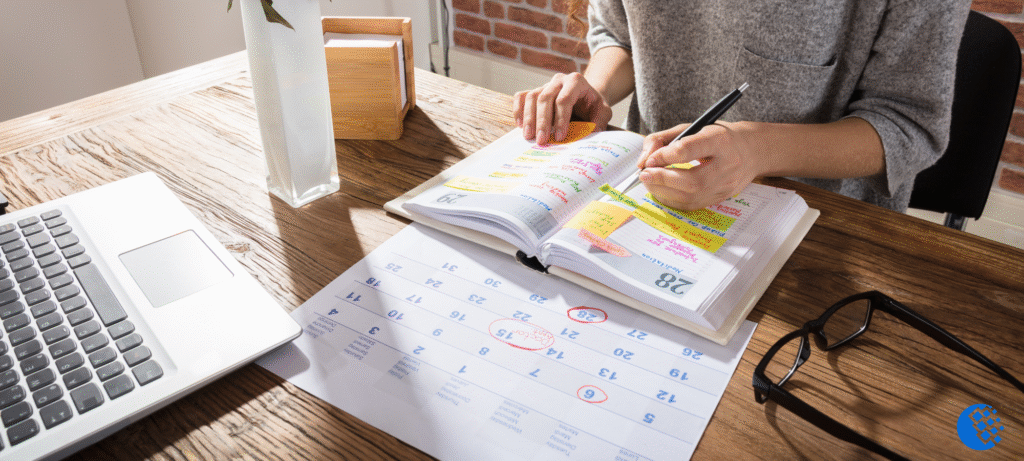
Think about the junk drawer in your kitchen. It works, everything’s in there somewhere, but you’re still digging past three dead batteries to find the tape.
A lot of lesson plans live the same way: functional, familiar, and buried the moment you need last year’s version.
That’s the real question behind digital versus paper planning. It’s not which one wins. It’s which one fits how you actually teach, and whether you can find what you built last September when September rolls around again.
This post walks through both sides honestly: what paper still gets right, what digital tools change, and how to switch without losing the parts of your process that already work.
What Lesson Planning Really Asks of You
Ask a teacher what “lesson planning” means, and most will point straight to a format: a notebook, a binder, an app. But the format is only the container.
The real work is capturing, sequencing, and reusing your thinking week after week, whether you write it by hand or type it into something like EMStudio.
The daily reality of planning
A lesson plan isn’t a document you write once and file away. You touch it dozens of times:
- sketching it the night before
- glancing at it mid-lesson to check timing
- scribbling a note afterward about what flopped
In that single document, you’re juggling:
- standards
- pacing
- differentiation for the student who needs extra scaffolding
- whatever last-minute change the schedule throws at you
Consider a middle school teacher who plans a tidy 50-minute lesson, only to lose ten minutes to a fire drill. The plan doesn’t just get read; it gets rewritten, right there, mid-week, sometimes mid-period.
Why format is a workflow decision
This is where format stops being a preference and becomes a workflow decision. The right tool shrinks the gap between having an idea and getting it down: a quick margin note, a dragged block of time, a copied lesson from last term.
Choose badly, and you don’t just plan differently, you plan less carefully, because every extra bit of friction is a reason to skip a step.
That’s the real question hiding behind paper versus digital: not which one wins, but which one gets out of your way.
Why Teachers Still Reach for Paper
Before you write off paper as old-fashioned, it’s worth asking why so many veteran teachers still keep a battered planner on the corner of their desk. The answer isn’t nostalgia. It’s that paper does a few things a screen simply can’t.
The tactile advantages
Handwriting forces you to slow down, and that’s a productive thing. When you can’t type as fast as you think, you make more intentional choices about what actually belongs in the lesson.
Consider a veteran teacher jotting next week’s plan by hand: the act of writing itself helps her internalize the flow of the lesson, from warm-up to exit ticket, in a way that clicking through fields rarely does.
A physical planner also holds nuance that structured digital fields can miss. Margins fill with reminders, sticky notes flag a tricky transition, and a quick doodle in the corner captures an idea no dropdown menu was built to hold.
Flip through a paper planner and you get a fast, tactile sense of the whole week at a glance, no scrolling required.
The limited page space helps too: it forces concise, focused planning, since you can’t write in circles when you’ve only got so many lines. And a paper planner never crashes, needs no login, and keeps working even when the power goes out.
Where paper starts to strain
But paper has real limits. A spilled coffee or a lost binder can wipe out a full term of planning in seconds, with nothing to fall back on.
Think of a teacher rebuilding an entire unit from memory because a binder went missing over summer break: that’s hours lost to something a single lost object shouldn’t be able to take.
Paper also doesn’t scale well across years. Rewriting the same recurring lessons by hand every September wastes hours that could go toward new material or your students, instead of recreating what you already built last year.
What Going Digital Actually Changes
Swap a paper planner for a digital one, and the lesson-planning process itself starts to shift. It’s less about where you write your plans and more about how those plans behave once they exist.
Speed and reuse
A recurring lesson, like a weekly spelling routine or a Friday lab, doesn’t need to be rewritten from scratch every time. Save it once as a template, and it’s ready whenever that lesson rolls around again.
Copy and paste turns last year’s unit into this year’s starting point in seconds, instead of a fresh blank page.
Mid-week changes get easier too. Consider a teacher who realizes Tuesday’s plan needs to slide to Wednesday because a fire drill ate the period. On paper, that’s crossing out, squeezing new notes into the margin, and hoping it’s still legible on Thursday.
Digitally, it’s a quick edit, and the plan stays clean.
Everything connected
Digital plans are also searchable and instantly rearranged when the schedule shifts, so finding last October’s lesson on fractions or reshuffling a whole week takes seconds, not a flip through a binder.
An online lesson planner lets you link standards and resources directly to each lesson, so attaching links, files, and rubrics keeps everything for that lesson in one place instead of scattered across folders and sticky notes.
Plans sync across devices too, so you can adjust from home, the hallway, or the classroom without emailing yourself a file.
And because those plans live somewhere beyond one notebook, a lost device never means lost plans: the backup is already there, waiting.
The Trade-offs Nobody Warns You About
Every format has a catch, and it rarely shows up until you’re mid-semester and already committed. Here’s what actually trips teachers up once the novelty wears off.
The hidden costs of each
Digital planning asks for something paper never does: a working device. A dead laptop battery or a school Wi-Fi outage can leave you scrambling five minutes before class.
It also demands setup time and a real learning curve before it starts saving you anything. That first month with a new app or template often costs more time than it returns.
Paper has its own blind spot: sharing. A substitute covering for a sick teacher can’t access a paper plan sitting in a desk drawer at home, and a co-teacher can’t glance at it between periods.
There’s no easy way to hand it off, no easy way to update it together. Digital tools, by contrast, make that kind of collaboration close to effortless.
One more trade-off worth naming: a screen open during a lesson can quietly pull your attention away from the room if you’re not deliberate about when you check it.
Matching the tool to your context
Consider a specialist who teaches the same course across six sections a day. Reusing and lightly adjusting one digital plan saves real hours compared to a teacher running a single class who might never touch that plan again.
Your school’s infrastructure and your own comfort with tech tip the balance too. The right choice often comes down to your subject, your grade level, and what your building’s tech actually supports day to day.
Why More Teachers Are Making the Switch
Workloads keep growing, and remote and hybrid teaching made it normal for a lesson plan to travel between a classroom, a kitchen table, and a substitute’s laptop. Once plans need to move that easily, paper starts to feel like the wrong tool for the job.
The tipping point
The real payoff shows up in year two. A teacher opens last year’s unit, and instead of rebuilding it from scratch, it’s already there: sequenced, dated, ready to adjust. That’s the moment paper’s limits become obvious.
For example, a middle school teacher who spent August rewriting a binder from memory can instead spend an hour tweaking a plan that’s already built.
Teachers who make this switch often talk about getting their Sunday evenings back. When plans stop being rebuilt from zero every term, that time doesn’t disappear. It just isn’t spent hunched over a planner anymore.
How the shift usually happens
Few teachers switch cold. Most run a hybrid setup for a stretch: one subject planned digitally while the rest stays on paper, just to see how it feels. That small test matters more than it looks.
Once a teacher reuses a full unit with one click instead of retyping it, paper starts to feel noticeably slower by comparison, and that one win is usually what pulls the rest of their planning over.
A teacher using EMStudio for a single science unit, then expanding it to an entire grading period once the routine clicks, is a common pattern. The switch rarely happens all at once. It happens one subject, one small win, at a time.
Making the Switch Without Losing What Works
Switching formats doesn’t have to mean starting over. The goal isn’t converting every old file at once: it’s finding a workflow you’ll actually keep using.
A practical migration plan
Start small.
- Move next week’s plans into your new system before you touch the archive gathering dust in your filing cabinet.
- Once that feels natural, rebuild only your most-used units first, the ones you teach every year, rather than migrating everything you’ve ever written.
- Give yourself one full term before judging whether the new workflow genuinely fits.
A rushed week of frustration tells you less than a semester of real use.
Blending the best of both
You don’t have to choose sides completely.
- Many teachers print a simple weekly view for the desk while keeping the master copy digital, so there’s still something to glance at between periods without losing the searchable, reusable original.
- If jotting notes by hand is how you think, keep doing it: scribble in the margins during planning period, then transfer those quick notes into your digital plan once they’re settled.
- Set up reusable templates that mirror the structure you already trust from paper, so the format changes but the habit doesn’t.
Tools like an all-in-one teacher planner let one place hold plans, resources, and schedules the way a binder once did, minus the shelf space.
Paper and digital aren’t rivals so much as two different answers to the same problem: how do you plan something once and actually get to use it again? The best system is the one that matches your habits, not the one with the most features.
If you’re weighing a switch, start small. Try one unit digitally, keep your paper habits where they still serve you, and see what actually saves you time next semester. That’s the whole point: less digging through drawers, more teaching.