
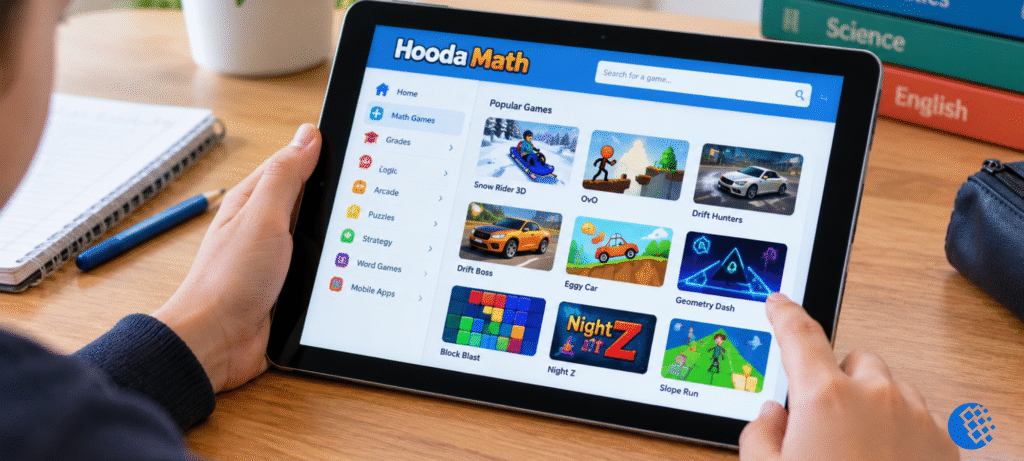
Ask any teacher about indoor recess and you’ll probably hear about Hooda Math. It’s the site half the class has open on their Chromebooks. It began as a place for math practice, but these days a lot of people search for it just to play games like Snow Rider 3D, OvO and Drift Hunters.
So who is this guide for? Parents and teachers who want real math practice. Kids who only want to find a game and learn the controls. And anyone staring at a blocked page on a school laptop. I’ll cover all of it, one section at a time.
What Is Hooda Math?
Hooda Math has more than 1,000 free games, covering everything from kindergarten to 12th grade. A middle school math teacher started it, and you can tell from how the site is laid out. Every game sits under a grade or a math topic, so if you need a fractions game for Tuesday’s lesson, you’ll find one in a couple of clicks.
The library has outgrown math, though. There are logic puzzles, physics games, escape rooms, clickers and a pile of fast runners now. Which is why you get two very different visitors: parents looking for a times-tables drill that won’t feel like homework, and kids who’d rather squeeze in a quick racing game before the bell goes.
Quick heads up. Put a fractions game next to a sled-racing game and they look about the same on the page, but only one of them will actually teach your kid anything. Once you can tell them apart, choosing gets easy.
Nothing to download, since it all runs in the browser, and most kids can start playing without an account. Want to poke around yourself? Here’s the official Hooda Math website.
How to Play Games on Hooda Math
It takes about a minute to get going.
- Open the official site in Chrome or any up-to-date browser.
- Browse by grade, by math topic, or by game style, like logic, escape or runner games.
- Click a game and read the instructions on its page. Controls are usually the arrow keys, WASD or the mouse.
- If it loads slowly, give it a few seconds before you refresh. Some of the 3D games are heavier than they look.
One tip from experience: read the controls first. Games like OvO and Slope Run will end your run in ten seconds if you guess the keys wrong.
Best Hooda Math Games to Try
These are the games people search for most. The site changes its listings now and then, so double-check that a game is still there before you build a lesson around it.
Snow Rider 3D
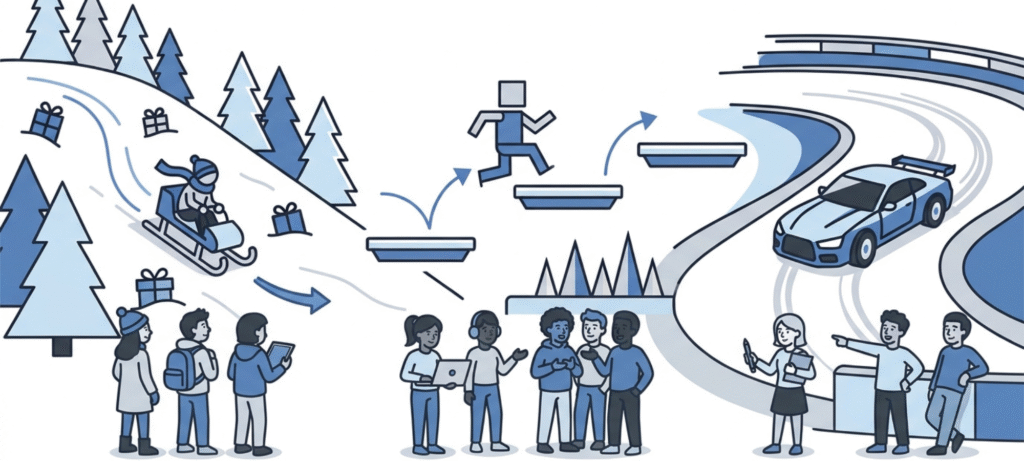
In Snow Rider 3D you’re sliding a sled down a snowy hill, swerving around trees and scooping up gifts for points. Left and right steer, and if the page shows a jump key, that’s there too. I kept crashing into the first tree until I stopped jerking the sled sideways. Short little taps, a bit early, and it goes where you want.
OvO
OvO is a parkour platformer. You run, jump, slide and wall-jump past gaps and spikes. Speed won’t save you here, patience will. Work through one section at a time, and slow down on the wall-jumps, since that’s where most runs end.
Drift Hunters
A 3D drifting game where you pick a car, slide through corners and earn points for style. Spend those points on upgrades. Try easing off the gas in the middle of a turn, because holding it down usually spins you out.
Drift Boss
This one is all about timing. Your car keeps rolling and you tap to turn at each corner. Keep your eyes on the edge of the road, not the car, and your turns get a lot cleaner.
Eggy Car
You drive over bumpy ground with an egg balanced on the roof. It’s basically a physics lesson that doesn’t feel like one. Ease the speed up and down gently, especially on hills.
Slope Run
A ball races down a long slope and gets faster as you go. It’s a good test of reaction time. Short, light taps work better than holding a key down.
Geometry Dash style games and Block Blast
Hooda Math also lists rhythm platformers and block puzzles. Of the two, Block Blast is handier in class, because fitting shapes into tight spaces builds spatial reasoning. Names and availability can change, so check the site first.
Hooda Math Games by Grade and Math Topic
If learning is the goal, start here and skip the arcade games for now. The math section covers what kids actually meet in school.
- Arithmetic: addition, subtraction, multiplication and division practice
- Fractions and integers: visual tools that show how values compare
- Pre-algebra and algebra: variables and simple equations
- Geometry: shapes, angles and measurement
- Logic and problem-solving: puzzles that build pattern recognition and planning
Start with whatever the class is covering this week. If it’s fractions, open a fractions game and leave the arcade stuff for later. Fifteen minutes is about right, and honestly even ten works. I’ve seen kids learn more from one short round than from a whole hour of clicking around with no goal. Teachers, there’s a Google Classroom button on the game page, so sharing one with your students takes about as long as copying a link.
Puzzle games help too. We wrote about this in how daily word games boost cognitive skills, and the same idea applies here. Short, regular sessions beat long, rare ones.
Is Hooda Math Free and Safe?
The games are free, and nobody asks you to sign up or pay before you start playing. Free isn’t the same as safe, though, so a few things are worth knowing before you hand over the laptop.
Make sure you’re on the real hoodamath.com. Lookalike sites are out there, and a lot of them are stuffed with ads. Even on the real one you’ll see some ads and links to other games, which is why I’d keep an adult close by for younger kids. If your child ever creates an account, skim the privacy policy first. And keep in mind that not every game on the site teaches math. That’s fine, as long as your kid knows which ones are just for fun.
No site is perfectly safe for every kid on every device. It depends on how old your child is, what your school allows, and what you’re comfortable with.
Does Hooda Math Work on Chromebooks?
Usually, yes. The games run in the browser, so a school Chromebook can open them without installing a thing. Keyboard, mouse and touch all work, though a few games feel much better with a keyboard.
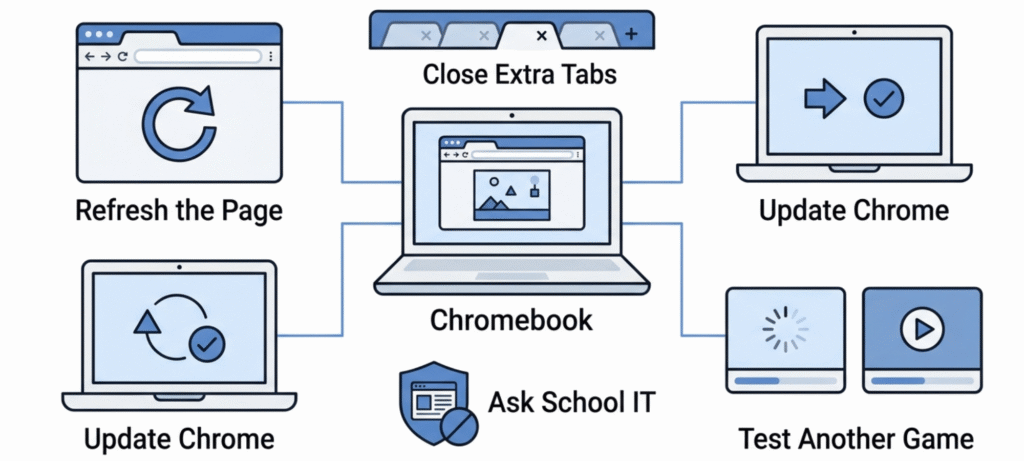
If a game won’t load, try this:
- Refresh the page once and wait a moment.
- Close extra tabs. Chromebooks with low memory struggle when several heavy games are open.
- Update Chrome and reload.
- Try a different game to see whether the problem is one title or the whole site.
No internet? There’s an official Hooda Math Games Offline app on Google Play with a smaller set of math and logic games. There’s an iOS version too.
Why Is Hooda Math Blocked at School?
Most schools use a web filter, and filters tend to block anything tagged as “games,” even the educational kind. Sometimes the block is on the whole school network. Other times it’s tied to the student’s account or device settings.
So what should you do? Just ask. Talk to your teacher or IT admin and point to the math content. Many schools will approve the site once they understand how it’s used in class. Don’t bother with proxies or other workarounds. They can break school rules and get you into real trouble. If you want to play at home, the offline app is a much cleaner option.
FAQs
What is Hooda Math?
It’s a free platform with over 1,000 browser games. You’ll find math practice by grade and topic, plus logic, puzzle, escape and arcade games.
Who created Hooda Math?
A middle school math teacher founded it. If you need a name or a founding date for a project, check the official About page before you quote it.
Is Hooda Math safe?
Schools use it a lot, but safety depends on the game, the ads, the device and how closely kids are supervised. Stick to the official site and follow your school’s guidance.
Are Hooda Math games free?
Yes, the games on the website are free to play. Check any app or account features separately.
Can I play Hooda Math on a Chromebook?
In most cases, yes. The games run in the browser, but your school’s filters might block the site.
Why is Hooda Math blocked at school?
School web filters often block game sites. Ask your IT admin whether it can be approved.
Which Hooda Math games are most popular?
Snow Rider 3D, OvO, Drift Hunters, Eggy Car and Drift Boss come up the most in searches.
Final Thoughts
Hooda Math is a lot more useful once you know why you opened it. If it’s math practice you’re after, go through the grade and topic pages and stop after fifteen minutes or so. If you just need a break, Snow Rider 3D, OvO and Drift Hunters are quick to learn once you’ve seen the controls. Blocked at school? Ask your teacher or IT admin about it. Hunting for a workaround usually ends badly.
Want practice to feel less like a chore? Our post on using trivia-based learning games to boost student engagement has a few more ideas.