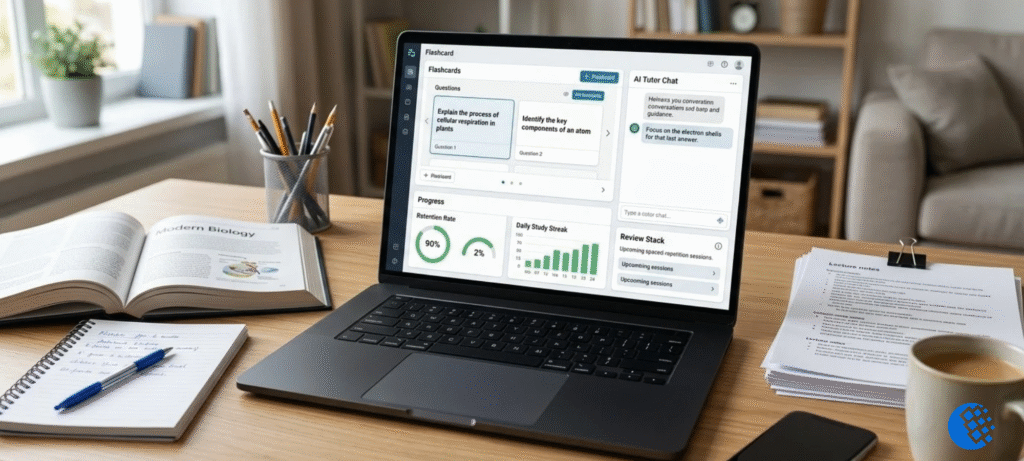

Poised AI used to sit in the background of your video calls and keep an ear on how you talked. Too many “ums,” a rushed pace, a flat tone: it caught them and nudged you privately. You can’t sign up anymore, though. The company shut its coaching service down in October 2026, and a banner on its homepage had already announced the end.
So why write about it? Because people still search for it. Some want to know what it did. Some saw an old review and wondered if it was worth the money. And plenty are just looking for something similar to use now.
One honest note before we start. I haven’t used Poised for weeks of real meetings, so this isn’t a hands-on review. Everything below comes from the company’s own pages, the pricing that was listed while the product was live, and a look at what’s replacing it.
Is Poised AI still available?
No. Poised AI has shut down. The homepage banner pointed to October 8, 2026, and Poised’s account page now describes the service as retired. The two pages don’t agree on the exact day, so I’m sticking with “October 2026” and leaving it there.
Here’s what that means in practice:
- Old download links and pricing pages may still show up in Google. That doesn’t mean the app works.
- If you used to pay for it, don’t count on opening the app or finding your old reports.
- When you log in to your account, look for options to request a data export or delete the account. If you have questions about stored data, contact Poised support instead of guessing.
And if you just want a replacement, jump down to the alternatives section.
What was Poised AI?
Picture a coach sitting quietly beside you in every meeting, only without the awkward third person on the call. That was the idea.
Poised described itself as an AI communication coach for virtual meetings and presentations. One user on its homepage called it the “Grammarly of speech,” and honestly, that’s a fair way to put it. Grammarly flags mistakes while you type. Poised flagged speaking habits while you talked.
Poised only ran on desktop, on Mac and Windows. No phone app. The homepage says so plainly. The idea was to keep feedback private, so it never joined your call as an extra participant. Its privacy page says it recorded selected meetings only with your permission, and that it kept your side of the conversation, not anyone else’s audio.
Poised was aimed at people who live on video calls: product managers, executives, founders, sales reps, consultants, team leads, and anyone prepping for a job interview. If a big part of your week happens through a screen, you were exactly who they had in mind.
How Poised AI worked: the features
Real-time speech feedback
This is what Poised was really about. Mid-sentence, a small prompt would pop up, just for you. Said “um” again? It showed. Talking too fast? That too. It tracked your energy and how much of the airtime you were hogging as well. Then there was hedging, my favorite part. Phrases like “I kind of feel like maybe” quietly weaken a good point, and Poised was built to catch exactly that.
Say you’re explaining a project plan and the pace indicator starts climbing. You notice, slow down and the next minute goes better. That’s the dream scenario.
The less fun version is that glancing at a dashboard while you’re also trying to think is distracting. I’d guess some people loved the nudges and others found them irritating after a week.
Post-meeting reports and trend tracking
Once the call ended, you got a breakdown. The homepage showed sample numbers for speak share, clarity (linked to filler words) and confidence (linked to hedging words). Over a few weeks you could see whether you were actually getting better or just having one good day.
Small warning. A confidence score built on counting hedge words is a rough guide, and that’s about it. Say you were choosing your words carefully with a nervous client, or you paused on purpose. The app wouldn’t know. So look at the number, think about it for a minute, and then move on. It’s not a grade.
Personalized coaching goals
You could set a goal for each meeting, and Poised judged your feedback against it. Makes sense, because a sales call and an internal check-in are different games. Here’s the part that works with or without an app: pick one or two habits. Just those. Trying to fix everything in one go usually ends with you fixing nothing.
Live speaker notes and follow-ups
Not many people talked about this feature, which is a shame. During a call, your notes could sit on screen and get ticked off as you went. When the call ended, you had a summary and action items waiting. No bot joined, no awkward “this meeting is being recorded” moment. If you ask me, it’s closer to a note-taker than a coach, so compare it with note-taking tools too.
Poised AI pricing and the free plan
Pricing is where old articles cause the most confusion, so read this whole section as history.
Public listings showed the Pro plan at $19 a month, or $13 a month if you paid for the year upfront. Poised also advertised a free option on its homepage and had a demo you could launch straight from the browser.
I’d love to give you a clean table of every plan, but I can’t. Different pages used different labels (Free, Starter, Shortcut) and they don’t line up into one confirmed pricing structure. I’d rather leave it incomplete than make something up.
| Plan label | Historically listed price | Status today |
|---|---|---|
| Free option / demo | Advertised as free | Service retired |
| Pro (monthly) | $19 per month | Service retired |
| Pro (annual) | $13 per month, billed annually | Service retired |
Nobody can buy any of these now. If an old review says “only $13 a month,” that tells you what it used to cost, not what you can get today.
How people used Poised AI (the old workflow)
Just so you get the full picture, here’s roughly how it went while the app was running:
- Download the Mac or Windows app.
- Make an account and allow the permissions it asked for, including calendar access if you wanted it to link your meetings.
- Choose what you wanted feedback on, like filler words or pace.
- Join your call as usual. Poised said it worked with 800+ communication tools, including Zoom, Google Meet, Slack and Microsoft Teams.
- Open the report afterward and look for patterns.
This is a record of how it used to work. It isn’t a setup guide, because the app no longer runs.
Poised AI privacy and security
If a tool listens to your meetings, you should ask hard questions about it. Poised pointed people to a privacy and security page.
On that page, the company said it doesn’t sell personal information. It said it recorded selected meetings after you gave permission, left out other participants’ audio, and encrypted recordings and transcripts both when stored and when moving across the internet. The website footer also showed a SOC compliance badge.
Remember, those are the company’s own words. They’re claims, not independent proof.
If you used Poised for work, a few practical questions are still worth asking:
- Did your employer know and approve?
- Where did your recordings and transcripts end up?
- What happens to stored data now that the service has closed?
That last one is best answered by Poised support directly. I couldn’t find details on long-term retention that I’d feel comfortable repeating here.
Poised AI pros and limitations
What it did well, going by how it was built:
- It gave feedback during the call instead of days later.
- It showed trends across several meetings.
- It was discreet, with no extra bot in the call.
- It tied feedback to the goal of each meeting.
Where it fell short:
- Desktop only, so nothing on your phone.
- Live prompts can pull your attention away from what you’re actually saying.
- Counting words and pace can’t capture tone, humor or cultural context.
- And the biggest limitation now: the service has been retired.
Best Poised AI alternatives in 2026
Nothing does exactly what Poised did. Most tools in this space are built for practice, not live coaching during a real meeting. So ask yourself one thing first. Do you want help during real calls, or a place to rehearse before them?
Yoodli is the practice-and-roleplay pick. You talk through a conversation with an AI, or upload a recording and see how you came across. On its pricing page, the free Starter plan gives you five roleplays total, and that’s lifetime, not monthly. Pro allows up to ten a week. Advanced is unlimited. Some third-party roundups put the paid plans at roughly $8 and $20 a month on annual billing, but those numbers move, so check Yoodli’s pricing yourself. And don’t treat it as a Poised clone. It isn’t one.
Orai is for rehearsing alone. Record your talk or presentation, then get feedback on pace, filler words, clarity and energy. Great if a big speech is coming up. Not so great if you wanted nudges in the middle of a live meeting.
Speeko is about your voice and delivery. According to speeko.co, it tracks pace, tone and word choice, offers short daily exercises, and runs on iOS, Mac, Android and web. You can start free. I couldn’t confirm current prices, so check the subscription page before paying.
| Tool | Best for | Main difference from Poised |
|---|---|---|
| Yoodli | Interview, sales and conversation practice | AI roleplay, not live call prompts |
| Orai | Presentations and solo rehearsal | Practice before the event, not during it |
| Speeko | Voice and delivery work | Short exercises and daily practice |
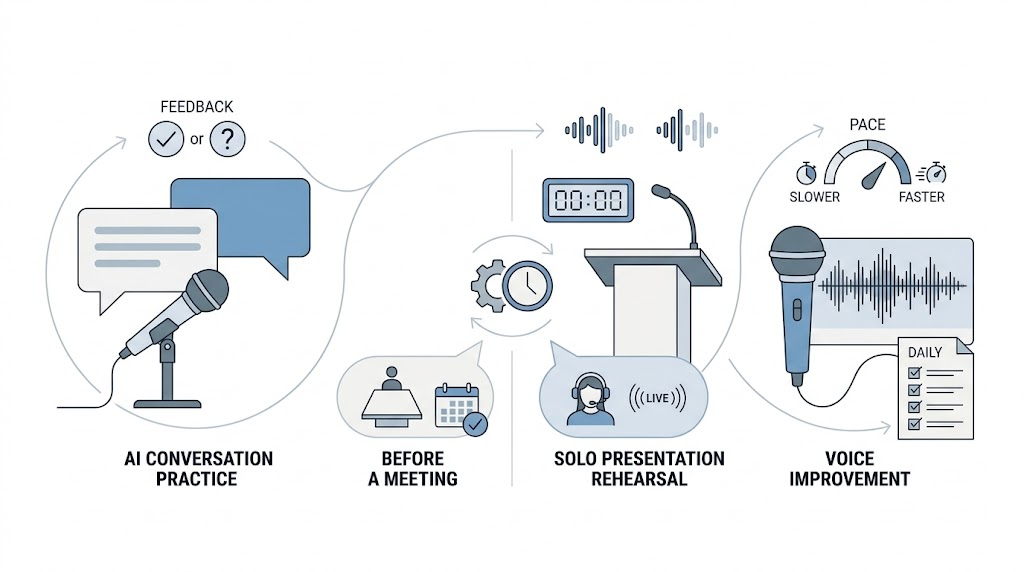
If the thing you miss most is that quiet nudge during live meetings, you’ll find fewer options than before. Try a free tier first and see if it fits your habits.
Who was Poised AI best suited for?
It fit people whose days are packed with calls: managers running team meetings, product folks explaining trade-offs, salespeople on discovery calls, and candidates prepping for interviews.
But a good fit doesn’t help if the thing is gone. Right now, availability is the only part that matters. And you don’t need the exact same app to get better at speaking. Our guide on platform presentation skills covers habits you can practice with zero software. Curious where meetings are headed next? Have a look at AI agents that present while you sleep.
Frequently asked questions
What is Poised AI?
It was a desktop communication coach that gave private feedback on your speech during video meetings and presentations.
Is Poised AI still available?
No. Poised retired its service in October 2026.
How much did Poised AI cost?
Pricing listings showed a Pro plan at $19 a month, or $13 a month billed annually. These are old prices, not a current offer.
Was Poised AI free?
It advertised a free option and a browser demo while it was running. You can’t use either one now.
What features did Poised AI have?
Real-time feedback on filler words, pace and energy, post-meeting reports, trend tracking, personalized goals, live speaker notes and meeting summaries.
Did Poised AI work with Zoom and Microsoft Teams?
Its site said it worked with more than 800 communication tools and named Zoom, Google Meet, Slack and Microsoft Teams. That describes the past, not a running service.
What’s the best alternative to Poised AI?
It depends on what you need. Yoodli suits roleplay practice, Orai suits presentation rehearsal, and Speeko suits voice and delivery work. The comparison table above shows how they differ.
Final verdict
What made Poised AI appealing was the simple idea behind it: a coach that could sit in on your real meetings without anyone noticing. That idea is still a good one, even though this product has closed.
If you’re choosing something new, decide first whether you want feedback during calls or practice sessions before them. Try a free plan, then check pricing on the company’s own site before you pay for anything. And if you ever come across a site still selling Poised subscriptions, stay away.