

Many schools rely on online portals to help parents and students stay on top of attendance, grades, homework, and day-to-day school announcements. For a long time, the sims learning gateway setup stood out as one of the most popular school tools for managing student information securely behind a private login screen.
For many parents, opening up a sims learning gateway login page became the fastest way to check what was happening at school without waiting around for official emails or crumpled paper notices at the bottom of a backpack. Whether you are trying to verify an unexpected absence or simply look over recent grades, knowing how this platform operates makes managing the school year completely stress-free.
SIMS Learning Gateway at a Glance
If you just need the quick facts on how this software handles online learning access and student performance, here is the basic breakdown:
- Core Purpose: Secure parent portal and student portal for real-time tracking.
- Developer: ESS SIMS (formerly part of Capita).
- Top Features: Lesson timetables, attendance tracking, homework monitoring, and report cards.
- How You Get In: Custom invite links and login details issued directly by your child’s school IT department.
- Current Status: Being phased out globally in favor of the modern SIMS Parent and SIMS Student mobile apps.
What Is SIMS Learning Gateway?
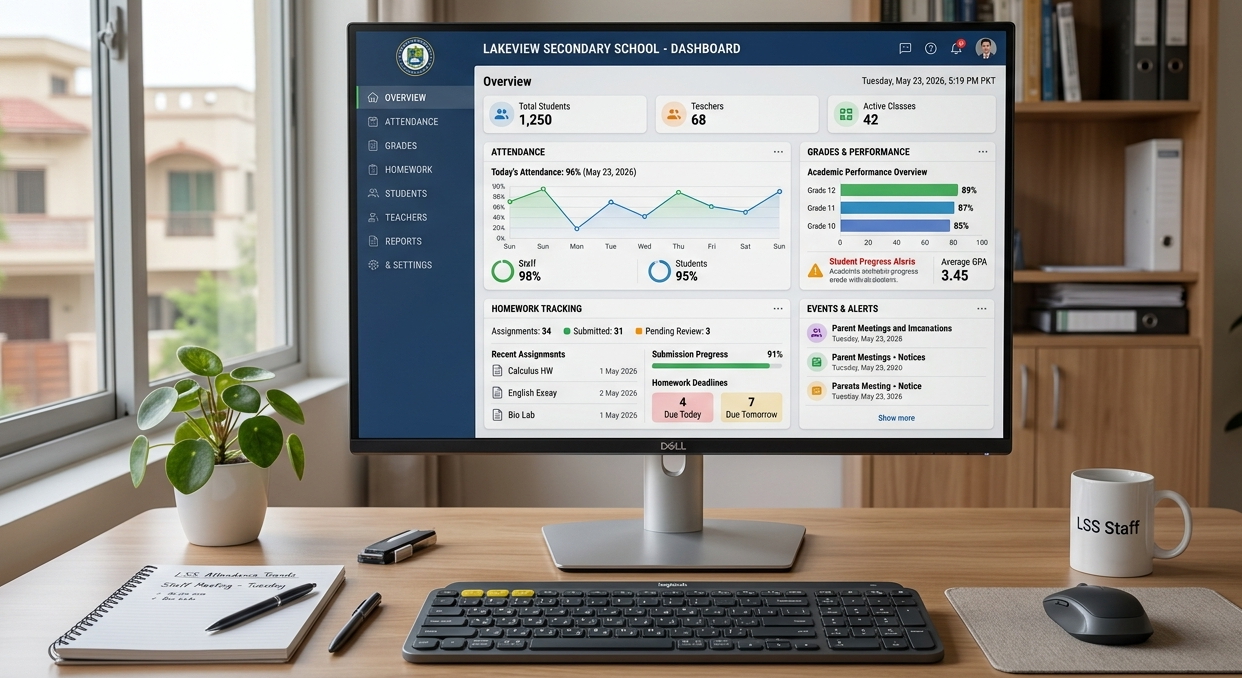
The SIMS Learning Gateway (often called SLG by school staff) is an official online portal managed by ESS SIMS. It acts as a digital bridge connecting a school’s central database directly to home computers and devices, giving families an organized look at everyday academic records. Many UK schools adopted SIMS Learning Gateway because it simplified communication between teachers and families while improving attendance monitoring and academic transparency.
Think of it as a live education management system rather than a standard, slow-moving website. It pulls data directly from what teachers enter in the staff room, meaning you see the most current files available. For local families across various communities, this school information management network became an absolute necessity for keeping up with the fast pace of modern secondary and primary education.
Key Features of the SIMS School Portal
The gateway dashboard packs everything a family needs into a single, straightforward screen. Instead of forcing you to call the front office for every minor question, the school management software categorizes digital education files into several highly useful sections:
- Live Attendance Tracking: See exact morning registration logs and lesson-by-lesson check-ins to make sure your child is safely where they need to be.
- Real-Time Academic Progress: Review recent assessment scores, class averages, and target levels to see where a student shines and where they might need a bit of extra help.
- Homework and Task Monitoring: Check specific assignment deadlines, project parameters, and submission statuses so nothing is forgotten over the weekend.
- Daily Timetable Access: Look over a student’s entire class rotation, including specific subject classrooms, period times, and teacher names.
- Behavior and Achievement Metrics: Keep an eye on school reward points, behavior merits, or detention logs posted by school heads.
- Central School Communication: Receive quick newsletters, unexpected closures, term dates, and personal notes directly from your child’s specific head of year.
How SIMS Learning Gateway Login Works
Logging into the portal is incredibly simple, but because this is a decentralized, secure login network, you can’t just head to a generic public homepage to log in. Your access path is entirely managed by your child’s specific school.
- Step 1: Visit Your School’s Custom Portal: Go to the official parent links page on your school’s main website. For instance, specific institutions have their own setups like the bishop walsh sims learning gateway page or the brockhill sims learning gateway interface.
- Step 2: Input Your Unique Login Details: Type in the exact username and password supplied to you by the administration. Note that you may need to enter a specific domain prefix if your school uses an older cloud server network.
- Step 3: Use Your SIMS ID Check: If your school has updated its security protocols, the page will redirect you through a universal single sign-on screen to shield your personal files.
- Step 4: Open the Home Dashboard: Hit the sign-in button to load your customized family screen, where every child attending that specific school will be listed together.
Keep in mind that you cannot create an account on your own for security reasons. If you are a new parent, you have to wait for the school to email you an official registration link and an activation token before the main login screen will let you through.
SIMS Learning Gateway for Parents
The true beauty of the parent dashboard is how much friction it removes from daily family routines. Parents no longer have to wait until formal parent-teacher meetings to discover academic concerns. A quick look at the student monitoring system reveals the truth in seconds.
Many parents check the portal during busy evenings just to confirm homework deadlines or verify school progress reports before the next school day begins. It shifts the entire dynamic of monitoring growth from an end-of-term surprise to an ongoing, helpful conversation at home.
SIMS Learning Gateway for Students
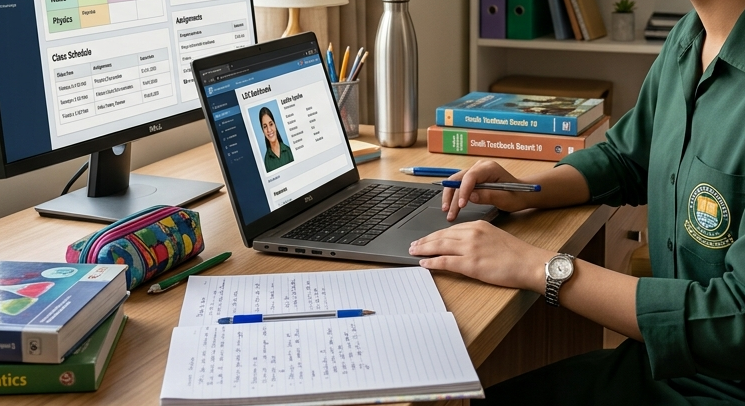
For students, having constant access to their live student portal means they can take ownership of their daily responsibilities. Instead of guessing which books to bring, they can check their student timetable the night before to pack their schoolbags correctly, reducing the stress of missing books or gym gear. It also keeps them accountable for their own homework tracking system, as deadlines are laid out clearly without relying on handwritten planners.
Common SIMS Learning Gateway Problems and Solutions
Because school administration systems hold incredibly sensitive child information, the login gates are highly sensitive to errors. If you find yourself locked out, here is how to handle the situation calmly:
- Forgotten Usernames or Credentials: If your password fails, avoid guessing repeatedly or the server may temporarily lock your IP address. Click the reset tool, but if your account was issued through a school domain, you will need to contact the school’s internal IT desk directly to clear the block.
- Comparing Performance Metrics: When tracking progress through the portal, it helps to understand how different grading systems function. For example, parents looking at advanced tracks often cross-reference school records with outside guides on How Does AP Class Affect GPA to make sure their student’s target grades align properly with long-term university goals.
- Expired Activation Codes: The initial signup token sent by the school secretary usually has a tight expiration window. If you don’t activate it within a few weeks, the link will go dead, and you will need to request a fresh invitation.
- Stuck Loading Screens: The classic web interface can sometimes conflict with ad-blockers or outdated mobile browsers. If the portal hangs on a blank screen, clearing your browser cookies or launching an incognito tab will usually fix the issue immediately.
Capita Hosted SIMS Learning Gateway Explained
During technical discussions or when reading through school IT handbooks, you might see references to the capita hosted sims learning gateway framework. This terminology simply refers to how your school manages its data servers.
Instead of keeping physical, expensive server boxes running in a closet on the school grounds, many districts choose a cloud-based approach hosted externally by the platform engineers. For you as a parent or student, this change doesn’t alter how you use the site—it simply means the online report cards load faster, experience less unexpected downtime during heavy report-card seasons, and stay updated with the latest security patches automatically.
SIMS Learning Gateway vs SIMS Parent App
If you have logged into your portal recently, you might have noticed messages regarding significant service updates. ESS has officially begun phasing out the classic version of the learning gateway to make room for their next-generation mobile platform. Here is how the old system compares to the new upgrade:
| Feature | Classic SIMS Learning Gateway | New SIMS Parent / Student App |
|---|---|---|
| Primary Device | Optimized for desktop web browsers | Fully built for iOS and Android smartphones |
| Notifications | Requires logging in manually to check updates | Sends live push notifications for attendance and alerts |
| Interface Style | Traditional, data-heavy tables | Modern, clean, and highly scannable dashboard |
| Sign-In Method | School-issued credentials or SIMS ID | Social logins (Google, Apple, Microsoft, Facebook) |
The new apps offer a far slicker user experience while keeping the exact same high data security standards as the classic school portal.
Security and Privacy in SIMS Systems
Because the gateway holds protected personal information, student attendance histories, and home addresses, security is treated with extreme seriousness. The platform utilizes advanced data encryption standards to safeguard all moving data streams.
Access is strictly controlled by your local school administration, and parent access accounts are thoroughly vetted before being linked to any student records. The entire infrastructure adheres to rigorous international and local data protection regulations, ensuring your family’s private educational history remains protected from commercial third parties, data scrapers, or public web lookups.
Benefits for Schools and Teachers
For school leaders and classroom instructors, this digital learning platform is the backbone of daily administrative tasks. It completely removes the need for teachers to manually print out progress alerts or mail home behavioral warning letters.
When an instructor inputs classroom data at the beginning of first period, the system immediately updates the master database. This allows attendance officers to quickly identify missing students and alert parents via automated school notifications within minutes. Furthermore, it streamlines the preparation of complex student tasks. Whether teachers are organizing end-of-year reviews or helping high schoolers select high-level TOK Essay Topics for final evaluations, the portal acts as the ultimate reference point for every single student milestone.
Frequently Asked Questions
What is SIMS Learning Gateway?
SIMS Learning Gateway is a secure online school portal that allows parents and students to check attendance, grades, homework, and school updates in real time.
How do I access SIMS Learning Gateway login?
You must get a specific, custom login link from your child’s school website along with an official school invitation code to set up your account.
Is SIMS Learning Gateway still available?
The classic version is currently being phased out by ESS SIMS, with most schools actively migrating their systems over to the newer SIMS Parent platform.
What replaced SIMS Learning Gateway?
It has been replaced by the modern SIMS Parent and SIMS Student mobile apps, which offer a cleaner layout and instant mobile push notifications.
How do parents use SIMS?
Parents use it to check up on daily student attendance, review homework assignments, view mid-term report cards, and stay updated with official school news without waiting for printed letters.
What can students see in the SIMS portal?
Students can log in to check their daily class timetables, see upcoming homework due dates, track their house points, and check their exam schedules.
What is Capita hosted SIMS Learning Gateway?
It is a cloud-hosted version of the school management platform, meaning the student data is kept safe on remote cloud servers rather than on physical computers located inside the school building.
Summary for Families
The sims learning gateway network transformed how families stay connected with their local schools. By pulling all essential school records—from daily attendance logs to test tracking—into one secure, readable space, it takes the guesswork completely out of the school year. Even as local districts transition over to newer mobile applications, utilizing these official school portals remains the absolute best way to stay involved and support your child’s academic progress from day one.