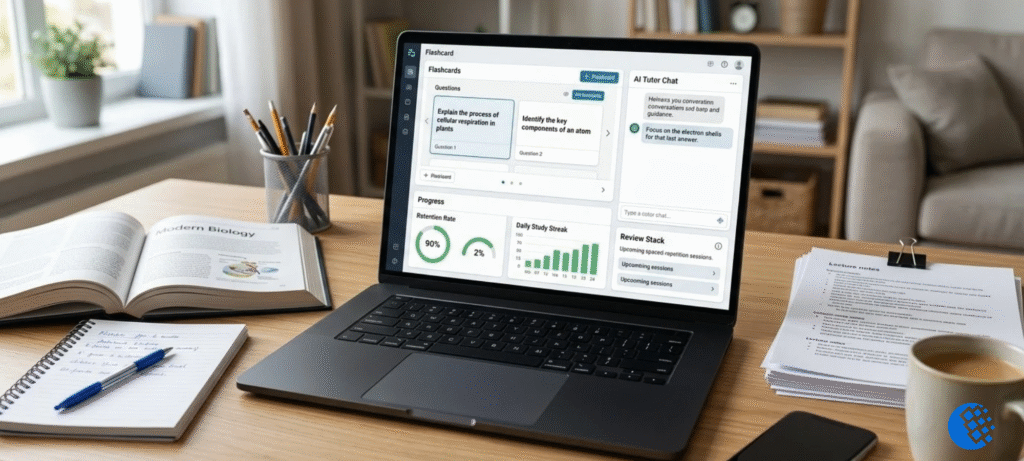

Picture it’s 11 pm, your maths exam is in two days, and one problem just won’t make sense. You’ve read the textbook twice. The answer at the back says 14, but you have no idea how anyone got there. That’s the exact moment Astra AI is built for. It’s a study app that works as an AI tutor, walks you through problems step by step, and helps you plan what to revise before the exam.
Here’s the catch, though. The name “Astra” is crowded right now. There’s the student app, there’s an OpenAI model called GPT-6 Astra, and there’s Google’s Project Astra. People mix them up all the time. So this guide covers the study app first: what it does, how to use it, whether it’s free, and what to check before paying. Then I’ll sort out the other two, so you know which Astra you were actually looking for.
What Is Astra AI?
Astra AI is a study app built for exam prep. Picture a tutor that lives in your phone. Ask it a maths, physics or chemistry question and it walks you through the working step by step, rather than just handing over the answer. It also helps you plan your revision, so you’re not sitting there at 9 pm wondering what to study next.
The official site and the app store listings say you can feed it your notes, PDFs, slides or textbook pages, and it will build a daily study schedule out of them. You’ll find it on the Apple App Store and Google Play. The site also claims millions of students use it, though the numbers jump around depending on where you look (anywhere from 10 to 15 million). I’d read those as marketing figures, not hard data.
So what is Astra AI, really? Put simply, it’s an AI tutor and study planner for students. If you’re asking what “Astra” means in AI more broadly, that depends on who you ask, which is why there’s a comparison section further down.
How is it different from a regular chatbot? A chatbot answers whatever you throw at it. Astra is built around learning, so the study plans, practice questions and mock exams all push toward one goal: getting you ready for the exam.
One honest warning, though. No app can promise better grades. It can help you study smarter, but the studying is still on you.
Astra AI Features for Students
So what can Astra AI do? Based on the official descriptions, these are the main tools.
Personalized study plans and exam preparation
Give the app your material and your exam date, and it builds a plan from there. It chops the topics into daily chunks, so you’re not staring at a 400-page textbook with no idea where to start. The store listing calls this Exam Prep. If you’re the type who crams the night before, a daily plan is probably the most useful thing in the app.
AI tutor and step-by-step problem solving
This is the main feature. Ask a question and it explains the answer in steps. The listing mentions two modes. Solver Mode works through a problem for you. Socratic Mode asks you guiding questions so you get there yourself. Use the second one when you can. Copying a solution feels productive, but it won’t help when you’re in the exam hall and the app isn’t there.
Photo-based homework assistance
There’s a “Snap and Solve” tool. You take a photo of a problem, and the app explains it step by step. It’s handy when the question is printed in a textbook and you can’t be bothered typing out a long equation. As with any photo tool, check that it read your problem correctly before trusting the answer.
Quizzes, flashcards and revision practice
The app also makes custom quizzes and flashcards, and it can create study podcasts. There are written and oral mock exams as well. Practice like this is where learning actually sticks. Reading an explanation is easy. Recalling it without help is the hard part, and the hard part is what builds memory.
If you want to compare this with other options, our roundup of the best study apps is a good place to start.
How to Use Astra AI
It’s pretty simple to get going. Here’s the usual path:
- Go to the official website or find the app in the App Store or Google Play.
- Download it and create an account.
- Pick your subject and set your exam date, if you have one.
- Add your material (notes, a PDF, or a photo of a problem) or just type your question.
- Read the explanation, and try the practice questions without looking.
- Come back daily and follow the study plan.
Here’s an example. Say you’re revising Newton’s laws for a physics test. You ask the app to explain the second law. Then you give it a problem about a 5 kg box being pushed with a 20 N force. The app walks through force, mass and acceleration. After that, you ask for three similar questions and try them on your own. If you get stuck, you switch to the guided mode and let it nudge you.
Quick note: I haven’t listed exact menu names or button labels, because they can change between app updates. If something looks different on your phone, that’s normal.
Is Astra AI Free?
Short answer: it’s free to download, but it has in-app purchases. That’s not the same as everything being free. Plenty of apps cost nothing to install and then hold back features until you pay.
When people ask “is Astra AI free,” they usually mean one of three things. Is the download free? Yes. Are all the features free? Probably not. Is usage unlimited? I wouldn’t count on it. Free plans tend to come with limits, and the paid ones lift them.
(If you’ve seen people searching “astra ai es gratis,” that’s just Spanish for “is Astra AI free?” Same answer.)
What you’re offered can vary by country and by account, so look at the price on your own screen before you commit to anything.
Astra AI Pricing and Subscription Costs
I’m not going to quote a price here, and I’ll explain why. App prices change by platform, country, subscription length and in-app offers. The App Store listing shows several subscription options and credit packs, and the numbers vary by storefront. Anything I printed could be wrong by the time you read it.
What I’d do instead:
- Open the app store listing in your own country and look at the subscription section.
- Note whether the price is weekly, monthly or yearly. They aren’t the same thing, and a cheap weekly price can add up fast.
- Check what’s actually included at each level.
- Look at the renewal terms, so you know when you’ll be charged next.
If you’re wondering about an “astra ai rabattcode” (that’s German for a discount code), I couldn’t verify a current legitimate offer. Be careful with random coupon sites. If a real offer exists, it’ll show up on the official site or inside the app.
Before you pay, try the free version first. If the explanations help you, then think about upgrading.
Is Astra AI Legit and Safe to Use?
It looks like a real app. It has an official website, a named developer, and listings on the App Store and Google Play. Search summaries list the developer as a company based in Slovenia, though you should confirm that on the store listing yourself. Those are good signs.
But “real app” doesn’t mean “always right.” AI explanations can contain mistakes, especially in maths and science where one wrong step ruins the whole answer. So if something looks off, check it against your textbook or ask your teacher. Don’t just trust it.
Then there’s privacy. App-store privacy labels show that apps like this may collect some personal info, content you upload, or usage data. The exact details depend on the developer’s disclosures. Read the privacy section on the store page before you upload anything. And don’t upload documents with personal details in them, like your full name, address or school ID, if you can avoid it.
Last thing on safety: subscriptions. Know how to cancel before you sign up. On iPhone and Android, you manage subscriptions through your store account settings.
Astra AI vs OpenAI GPT-6 Astra vs Google Project Astra
Okay, this is the confusing bit. Three different products share the name. They have nothing to do with each other in terms of what they do.
OpenAI GPT-6 Astra model
This one’s an AI model from OpenAI, not a student app. According to reports, OpenAI launched it on September 3, 2026, and it’s aimed at hard professional work: coding, research, reasoning and using software on a computer. Developers can reach it through the OpenAI API, and it’s rolling out in some ChatGPT plans too. Reported API pricing is $10 per million input tokens and $50 per million output tokens, but check OpenAI’s own pages for current numbers.
So if you searched “openai astra ai coding agent” or “astra ai model,” this is probably what you wanted. Getting this model through an API isn’t the same as downloading a study app on your phone.
Google Project Astra AI agent
Project Astra is a research prototype from Google DeepMind. The idea is a universal AI assistant that can see and hear what’s around you through a phone camera or prototype glasses, and talk to you about it in real time. According to the official Project Astra page, it’s being used by a limited group of trusted testers. Some of its ideas have also shown up in Gemini features. It isn’t a standalone app you can just download.
Which Astra AI are you looking for?
- A student looking for homework and exam help: the Astra AI study app.
- A developer or business user: OpenAI’s GPT-6 Astra.
- Someone curious about Google’s future assistant: Project Astra.
Can Astra AI Help With Mathematical Discoveries?
You’ll see searches like “astra ai mathematical discoveries” and “openai astra ai mathematics.” They’re mixing two very different things.
The study app helps you solve and understand maths exercises, like algebra, equations and physics problems. It isn’t making new discoveries in mathematics. It’s explaining existing methods, and that’s useful enough on its own. For more on how AI maths tools work, see our guide on AI math help.
OpenAI’s GPT-6 Astra is a different story. OpenAI reports very high scores on advanced maths benchmarks, close to 98% on FrontierMath Tier 4. But those are the company’s own numbers. A strong benchmark score doesn’t equal an independently verified scientific discovery. So I’d treat the claims carefully until outside researchers confirm them.
Frequently Asked Questions
What is Astra AI?
It’s an AI-powered study and exam-prep app that helps students with step-by-step explanations, study plans, quizzes and practice.
Is Astra AI free?
The app is free to download, with in-app purchases. Some features or usage may need a paid plan.
How much does Astra AI cost?
It varies by country, platform and plan. Check the store listing in your region and confirm the billing period.
How do I use the Astra AI app?
Download it, create an account, choose a subject, add your material or question, and follow the explanations and practice questions.
Is Astra AI legit?
It has an official site, a named developer and store listings, which suggests it’s a real app. Still, check important answers yourself.
Is Astra AI better than ChatGPT?
There’s no single winner. Astra AI is built for studying, with plans, quizzes and exam practice. ChatGPT is a general assistant that does many other jobs. Compare them on what you actually need: study planning, explanations, image input, practice tools and price.
Is the Astra AI app the same as Google Project Astra?
No. Project Astra is a Google DeepMind research prototype. The study app is a separate product.
Is the Astra app AI-based?
Yes. It uses AI to explain problems and build study plans.
Is there an Astra AI promo code?
I couldn’t verify a current one. Check the official site or the app.
Final Thoughts
If you’re a student who wants help with tricky problems and a plan to get through revision, Astra AI is worth a try, and the free download makes it an easy one. Start there and see whether the explanations make sense to you before you spend anything.
If you do decide to pay, check the price in your own country first, along with the billing period and the renewal terms. And double-check the answers it gives you, especially in maths and science. AI explanations are usually fine, but “usually” isn’t good enough when you’re revising for an exam.
There are two other Astras out there. OpenAI’s GPT-6 Astra is aimed at developers and businesses, and Google’s Project Astra is still a research prototype. Both are interesting, but neither is what most students are after. If you want the study app, you’ll find it on the official Astra AI website.