
A few years ago, I watched two teachers tackle the exact same science lesson on the same afternoon.
In the first room, the lights were low, and the teacher spent ninety minutes reading off a 45-slide PowerPoint deck. The kids looked like statues, just copying down bullet points.
Down the hall, the second room was completely different. The desks were pushed against the walls. Kids were huddled around whiteboards, arguing over a problem, sketching out ideas, and waving the teacher over to rip their logic apart.
Both classes covered the same curriculum benchmarks. But real learning only happened in that second room.
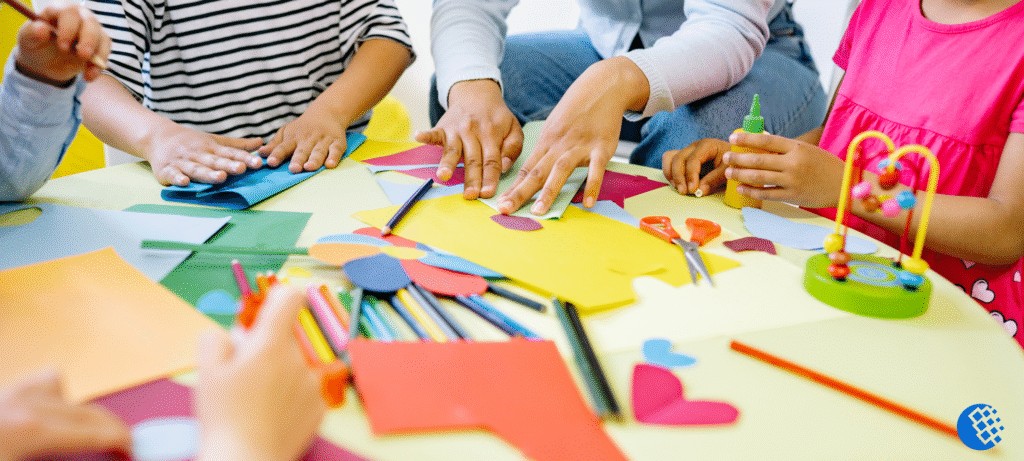
That difference is what happens when you move away from passive listening and figure out how to create an interactive learning environment. It’s about treating students like active participants who learn by doing, talking, and making messy mistakes rather than empty buckets waiting to be filled.
Whether you run an elementary classroom, a college lecture hall, or a remote corporate training workshop, building an engaging learning environment takes deliberate work. Fancy educational buzzwords don’t fix a boring class. People learn when they actually participate. It all comes down to a few practical setup choices that change how humans interact with new ideas.
What Does an Interactive Classroom Actually Look Like?

Forget the dense textbook definitions for a second. While peer-reviewed data from the U.S. Department of Education (ERIC) defines this shift as moving from passive instruction to student-centered knowledge construction, an interactive classroom is simply a space where conversation moves in multiple directions at once, instead of just one.
[The Sitting & Listening Model]       [The Interactive Model]
          Instructor                         Content ── Instructor
              │                                 │          │
              ▼                                 ▼          ▼
           Student                           Student ◄──► Student
In the old-school setup, the teacher is the bottleneck. Everything has to go through them. In an interactive learning environment, your role changes completely. You stop being the center of attention and become the architect of the day. Your main job is to set up the challenge, hand over the tools, and guide the chaos.
The setup changes depending on your space, but human psychology stays the same:
- In physical spaces: You change the desk layouts, get people moving, use dry-erase boards, and force quick partner chats.
- In online spaces: You use simple software to close the physical gap—like shared sticky notes, quick polls, live chat streams, and small breakout rooms.Transitioning to this dynamic layout doesn’t just change the physical layout of your room; it fundamentally transforms your pedagogy. When evaluating the Best Modern Teaching Methods used by elite educators today, structural interactivity consistently ranks at the very top because it shifts the cognitive heavy lifting from the presenter back onto the learners.
The Real Value of Active Learning
Let’s be real: planning an interactive lesson takes way more upfront effort than just loading up an old slide deck. And yes, it can feel incredibly messy when twenty or thirty people start talking at the same time. So why do it?
Because passive listening doesn’t stick. Traditional lectures are terrible for long-term memory.
When you get people to roll up their sleeves and actually use information, things stick:
- Deep retention: You don’t remember things by reading them; you remember them by analyzing, debating, and building with them.
- Real-world skills: Working in groups forces people to negotiate, speak clearly, respect different points of view, and solve problems as a team. That’s exactly what modern workplaces look like.
- Instant feedback: During a standard lecture, you have no idea if your audience is lost until they fail a test. Frequent check-ins show you the confusion immediately, so you can fix it right then and there.
Signs of a Truly Engaging Space
You can spot a working interactive space within five minutes. Look for these signs:
- The 15-minute rule: The instructor rarely speaks for more than 10 or 15 minutes without passing a task over to the learners to keep student engagement high.
- Mistakes are just data: Nobody hesitates to ask a “dumb” question or guess wrong. The culture values trial and error, which makes supported, collaborative challenges feel safe.
- Visible thinking: The walls or shared screens are messy. They’re covered in rough sketches, mind maps, and half-baked ideas. You can literally watch the room’s logic grow.
12 Practical Interactive Learning Environment Strategies

1. Break Up Your Talking
Attention spans naturally drop off after about 10 or 15 minutes of straight listening. It varies depending on the day and the group, but it’s a solid rule of thumb.
Don’t lecture for an hour. Speak for seven or eight minutes, then stop. Give the room three minutes to explain the point to the person next to them, or have them drop an anonymous question into a digital link. This resets their focus and keeps classroom participation alive.
2. Give Introverts a Safe Start
Asking a tough question and expecting people to raise their hands right away usually results in awkward silence. Try the Think-Pair-Share approach instead.
Give everyone 60 seconds of complete silence to write down their thoughts. Then, have them turn to a neighbor and compare notes. Finally, open up the floor. Because they got to test their ideas with a peer first, the confidence in the room skyrockets and the classroom discussion gets significantly better.
3. Ask Questions Without Easy Answers
Factual questions like “What is photosynthesis?” kill a conversation instantly. There is only one right answer, and nobody wants to risk getting it wrong in front of a group.
Try a speculative problem instead: “Imagine a massive volcanic ash cloud blocks out the sun for six months. Which parts of our local ecosystem would collapse first, and why?” Now, there isn’t a single textbook answer. It forces them to actually use the definitions they just learned.
4. Use 2-Minute Pulse Checks
Don’t wait until the middle of a session to ask for input. Get people used to responding within the first two minutes.
Use simple hand signals or fast chat inputs:
- “On a scale of 1 to 5, type a number in the chat showing how well you understood last night’s reading.”
- “Give me a thumbs-up if we’re ready to move on, or a thumbs-down if we need to stay on this slide for another minute.”
5. Keep Your Tech Stack Simple
I learned this the hard way after trying to run a workshop with three different fancy apps open at the same time. Half the class spent thirty minutes just trying to log in. It was a disaster.
Now, I pick one basic tool—like Miro, Mural, or Padlet—and stick to it. Give them a shared digital canvas, let them drag sticky notes, and have them vote on ideas. The tool isn’t the lesson; it’s just the workspace. Keep it dead simple.
6. Pick Problems They Actually Care About
If you’re trying to teach persuasive writing or basic negotiation techniques, skip the dry business case studies about corporate supply chains.
Instead, tell the teams to draft a pitch convincing the school principal to extend lunch by ten minutes or upgrade the student lounge. The room will erupt. When the stakes feel real, the interactive teaching methods work on autopilot.
7. Run Fast “Gallery Walks”
I once watched a history teacher handle group presentations beautifully. Instead of making every single group stand at the front of the room one by one—which completely bores the rest of the class—she taped their chart papers around the walls. She had the students rotate every five minutes, reading the work and leaving feedback sticky notes.
Within twenty minutes, every student had analyzed multiple approaches to the same historical problem. Surprisingly, that’s usually enough to spark an incredible follow-up debate. Online, you can do the exact same thing with a multi-slide Google Slides or Canva project.
8. Assign Single, Simple Roles
Group work can easily go off the rails. Usually, one person ends up doing everything while three others quietly check out. Giving everyone a specific job fixes that within minutes.
Hand out single responsibilities. Call them a scribe, a timekeeper, a skeptic, or a spokesperson. The specific titles don’t matter at all. What matters is that everyone has an explicit reason to contribute to the collaborative learning process.
9. Use Games for Revision, Not Novelty
Gamification is great, but don’t play mindless games just to pass the time. Use mechanics like progression and light competition to make review sessions fun. Platforms like Quizizz or Kahoot! work perfectly here.
Just don’t overdo it. If every single lesson turns into a trivia game, the novelty wears off fast. Save it for quick review sessions, and keep the point values meaningless so the focus stays on clearing up confusion rather than just winning.
10. Replace “Any Questions?” with Exit Tickets
When you finish a tough topic and ask a giant room if anyone has questions, you’re almost always met with total silence.
The first time I used anonymous exit tickets instead, I expected a few lazy notes. Instead, I got an avalanche of real, honest questions that students had been too embarrassed to ask out loud. It completely changed how I planned my lessons. Take the last three minutes of class and make everyone answer two simple questions anonymously:
- “What was the main takeaway for you today?”
- “What is still totally confusing or muddy?”
11. Flip Your Floor Plan
Physical environments dictate human behavior. Rows of desks facing forward send a loud, silent message: sit down, shut up, and listen to me look at slides. If your room allows it, break the rows. Cluster desks into pods of four or five, or push them into a giant U-shape. This small structural change forces people to look at each other, making open communication the default state of the room.
12. Ditch Tech That bogs You Down
I’ve seen instructors spend twenty minutes explaining a complicated digital whiteboard app, only to realize a physical marker and a pack of sticky notes would have worked twice as fast. Tech should make learning easier, not become an extra hurdle your students have to jump over. If a piece of software doesn’t directly serve your goal, trash it. Stick to whatever keeps the conversation moving forward.
High-Impact Active Learning Strategies
Don’t try to use every single tool on the internet. Pick a small handful of solid active learning strategies that fit your style and master them.
| Activity Name | Primary Learning Purpose | Best Target Settings | Concrete Example | Primary Digital Tool |
| Think-Pair-Share | Promotes equal participation and reflective thinking. | K-12, Higher Ed, Virtual Classrooms | Students reflect on a prompt, discuss with a peer, then share. | Nearpod / Mentimeter |
| Gallery Walk | Stimulates peer critique and physical movement. | Physical Classrooms, Corporate Workshops | Groups move around the room evaluating distinct strategies posted on walls. | Miro / Mural / Padlet |
| Jigsaw Classroom | Encourages peer teaching and individual accountability. | Middle School to Adult Education | Each group member masters one specific sub-topic, then teaches it back to their team. | Google Slides / Canva |
| Live Polling Blitz | Gathers instant, anonymous feedback on understanding. | Large Lecture Halls, Online Webinars | An instructor inserts a multiple-choice question mid-lecture to catch misconceptions. | Quizizz / Kahoot! |
| Video Checks | Keeps asynchronous learners engaged with video content. | Distance Learning, Hybrid Classrooms | Students answer embedded questions at key moments while watching a recorded tutorial. | Edpuzzle / Flip |
4 Common Mistakes to Avoid
Some lessons just fall flat. That’s completely normal. The goal isn’t to make every single class wildly exciting; it’s just to make people think more than they copy. Watch out for these traps:
- Overcomplicating the technology: Introducing too many platforms at once creates total cognitive overload. You’ll end up spending more time troubleshooting tech issues than actually engaging with your core material.
- Using activities as time-fillers: An interactive game or exercise is completely useless if it doesn’t align directly with your primary learning goals. Every activity should move students closer to mastering the topic.
- Forgetting to include quiet reflection time: High-intensity group work can quickly become overwhelming or chaotic. Balance your highly active segments with quiet, individual moments for students to digest what they’ve learned.
- Letting loud voices dominate: Outspoken students can easily take over collaborative sessions. Use structures like anonymous digital tools, individual writing periods, and explicit group roles to ensure introverted learners have an equal opportunity to contribute.
Tailoring Interactivity to Your Audience
Early Childhood & Elementary (K-5)
Focus heavily on physical, tactile experiences. Use song, movement, physical building blocks, and highly visual learning stations. Keep direct instruction brief—typically under 5 to 7 minutes—before transitioning to a hands-on task.
Secondary Education (6-12)
Leverage peer dynamics through collaborative challenges, debates, structured group projects, and gamified reviews. Provide clear boundaries, defined roles, and options for choice within assignments to foster a sense of independence and increase classroom participation.
Higher Ed & Corporate Training
Focus on real-world case studies, professional problem-solving simulations, and peer review. For instance, when designing highly specific skill-based tracks, understanding the Key Benefits of Online Translation Learning can provide a blueprint for how to build interactive, collaborative modules around complex language analysis and cross-cultural communication. Always respect the life and professional experiences your learners bring to the table by shifting your role from an absolute authority to a strategic sounding board.
Fully Online Cohorts
Many educators notice attention starts drifting after roughly 10–15 minutes online, although it varies depending on the activity and the learners. Maximize the strategic use of chat feeds, virtual breakout rooms, and shared documents. According to global digital integration frameworks mapped by UNESCO, utilizing these structured interactive systems monitors individual learner needs and keeps asynchronous or virtual spaces from lapsing into passive states. Keep video segments brief and ensure participants interact with the screen through a poll, chat input, or whiteboard every few minutes to combat digital fatigue and maintain student engagement.
How to Tell If It’s Working
You don’t need a massive research study to see if your interactive teaching methods are paying off. Just keep an eye on a few simple indicators:
- The participation ratio: Watch who is actually contributing to your whiteboards, chats, or spoken discussions. A successful interactive space balances voices so that everyone participates over the course of a week.
- The shift in student questions: As your environment becomes a safer place to learn, student questions naturally change. They move away from purely logistical queries (“Is this going to be graded?”) and turn into conceptual questions (“How does this step connect to the case study we looked at last Tuesday?”).
- Continuous performance insights: Use the automated data from your exit tickets, digital polls, and review quizzes to run a quick formative assessment. This helps verify that your interactive sessions are translating into measurable, long-term comprehension.
Frequently Asked Questions
How do I manage classroom behavior when things get loud during an interactive activity?
Set explicit expectations for volume and behavior before the activity starts. Use clear, non-vocal transitions to bring the room back to order—like a distinct visual countdown clock, a rhythmic clap pattern, or dimming the lights for three seconds.
Interactive strategies take up a lot of time. How do I cover my entire required syllabus?
While standard lecturing lets you cover content faster on paper, it rarely leads to true student mastery. Consider a “flipped” approach: have students read basic informational facts or watch introductory clips at home, preserving your precious classroom time for tackling the most difficult, complex concepts together.
What should I do if a student flatly refuses to participate in group work?
Some classes respond immediately, while others need a few weeks before participation feels natural. Sometimes students just aren’t in the mood, and that’s okay. Avoid reprimanding or pressuring them in front of their peers. Speak with them privately to understand the root cause of their hesitation. You can offer temporary support, like letting them work independently for one session or giving them a specialized, low-stress background role (like group scribe) until their confidence grows.
How do I scale interactive learning up for a large lecture hall of 150+ students?
Lean into mobile-friendly digital tools. Live polling, anonymous chat questions, quick word clouds, and brief “Think-Pair-Share” moments with immediate neighbors work beautifully even in massive auditoriums with fixed seating.
What is the most critical factor when figuring out how to create an interactive learning environment?
The absolute foundation is psychological safety. If students are terrified of making mistakes or looking foolish in front of their peers, no amount of flashy technology or clever seating charts will get them to speak up. You have to actively build a classroom culture where wrong answers are treated as valuable learning data.