Does Schoology have an AI detector? Not on its own. Schoology is a learning management system, or LMS. Schools use it to run classes, hand out assignments and collect student work. AI detection only shows up when a school connects a separate tool, like Turnitin or Copyleaks.
That difference trips a lot of people up. Not every Schoology assignment gets scanned for AI writing. It depends on what your school has paid for, how it was set up and how your teacher built the assignment. One student might never see an AI report. Another might submit through a tool that checks everything.
In this guide, I’ll walk through how the Schoology AI detector question really works. We’ll look at the tools schools can add, how AI checks differ from plagiarism checks and what to do if a score looks wrong.
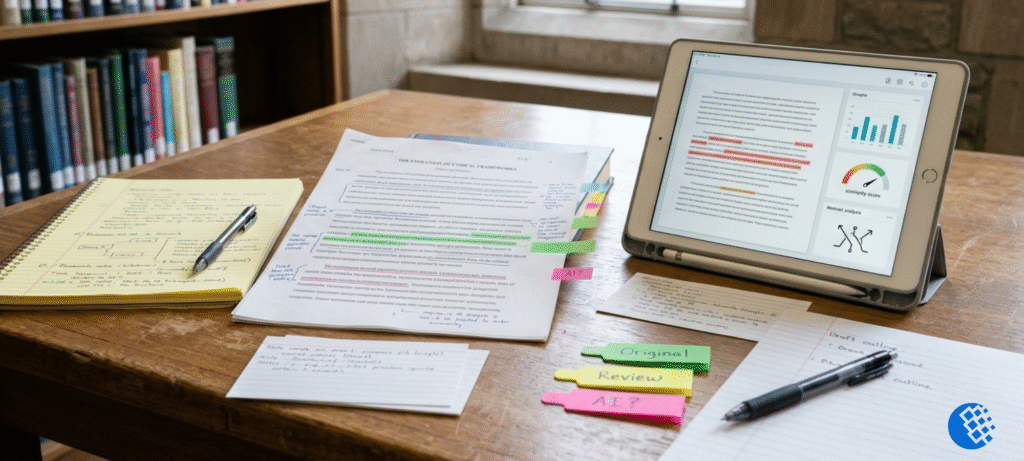
Schoology AI detector report shown to a student reviewing an assignment
Alt text: Schoology AI detector report shown to a student reviewing an assignment on a laptop
Is Schoology an AI Detector? What It Actually Does
Schoology is part of PowerSchool’s education software. Teachers use it to manage their classes. Depending on the school’s setup, that can mean sharing course materials, posting assignments, running discussions, giving quizzes, recording grades and leaving feedback.
None of that means Schoology reads your essay and decides who wrote it. Collecting a submission and judging its authorship are two very different jobs.
Here’s a simple example. Say a student uploads a 1,500-word essay to a regular Schoology assignment. The platform records the upload and makes the file available to the teacher. Whether anything else happens, like an AI scan, depends on the tools attached to that assignment.
Schools can also connect outside services to Schoology for originality checking, grading and other tasks. Those connections can make life easier. But which features you actually get still comes down to your school’s configuration.
One more thing worth saying. A submission timestamp tells you when work was handed in. It does not tell you who wrote it or whether AI helped. Those are separate questions.
So the practical answer is this: Schoology is the classroom. Any AI-writing analysis usually comes from a different service sitting next to it.
Does Schoology Detect AI Writing Through Turnitin?
Turnitin is one of the third-party services that can connect to Schoology. It offers similarity checking and, when the school has the right licence and the submission qualifies, AI writing detection. I can’t say it’s the most common option from the data I have, but it’s certainly a well-known one.
Turnitin’s own instructor guide for its Schoology integration says an administrator has to set it up first. Only then can teachers create Turnitin assignments. So just because a school uses Schoology doesn’t mean Turnitin is running. Someone has to turn it on, and a teacher has to choose it for the assignment.
How the Turnitin integration works
It usually goes in three steps:
- Admin setup. The school connects Turnitin to its Schoology account.
- Assignment creation. The teacher picks the Turnitin option when building the assignment.
- Submission and review. Students submit through that assignment, and Turnitin processes eligible work.
The details can change depending on the integration version and the school’s settings. If you’re a teacher or admin, Turnitin’s official site is the place to confirm the current steps.
Similarity reports vs. AI writing reports
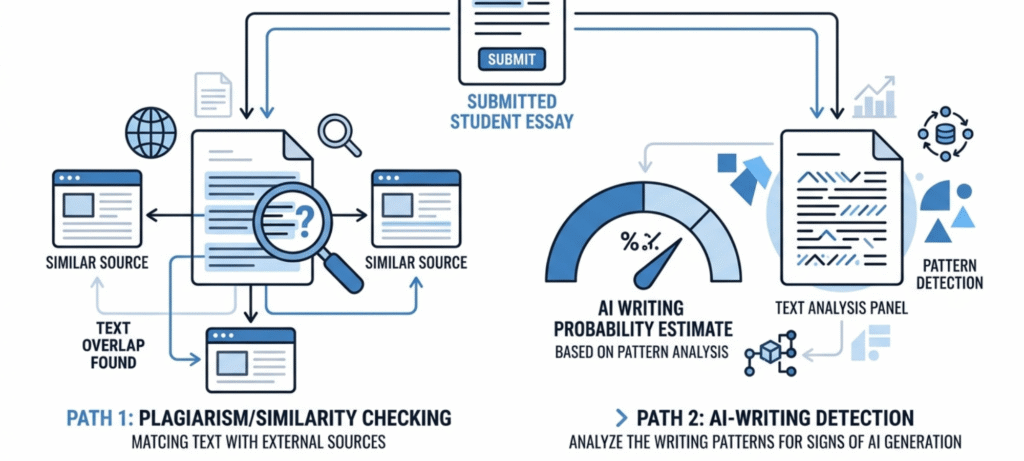
Two reports, not one. Yet people confuse them constantly.
Think of the similarity report as a matching tool. It shows where your text lines up with sources in Turnitin’s database, so teachers can check quotes, citations and any passages that overlap with content already out there.
The AI writing report does something else entirely. It estimates how much of the qualifying text may have come from an AI tool. Different analysis, different question. The AI percentage and the similarity score aren’t the same thing, and one can’t predict the other. A low similarity score? Doesn’t tell you anything about AI. A high AI percentage? Doesn’t mean the text matches existing sources.
There are also eligibility rules for the AI report. Turnitin’s documentation has said that qualifying long-form writing generally needs to fall between 300 and 30,000 words. The file type has to be supported too, and so does the language. On top of that, the school needs the right licence.
Keep in mind that these are Turnitin’s rules, not Schoology’s. They can change, so check the current documentation before you quote a number to anyone.
And here’s the part many students miss. If a document doesn’t get an AI report, that doesn’t mean it passed a check. It may just mean the document wasn’t eligible, or the school doesn’t have that feature.
Can Schoology Use Copyleaks or Other AI Detectors?
Yes. Copyleaks advertises a Schoology integration that covers both AI content detection and plagiarism checking. Its official LMS integration lists Schoology among the platforms it supports.
Copyleaks builds tools to help schools review work for possible AI-generated text and for similarity to other sources. What you get can depend on the product, the plan and how the school connected it.
But an integration existing doesn’t mean your school uses it. A school has to choose the service and set it up before any student work goes through it. A product page can confirm a connection is offered. It can’t confirm anyone bought it.
You’ll see other names in search results too, like PlagiarismCheck.org and CoGrader. They advertise originality checks, AI detection or grading help. If you want to say something specific about what they offer, look at their own websites first. Features and pricing change a lot.
Some teachers skip integrations altogether. They download a paper and paste it into a separate AI detector. That happens outside Schoology, so you’d never see it in the platform.
The key idea is simple. A tool being available is one thing. A tool actually being used on your assignment is another.
For a wider look at the options, our guide to AI detection tools and academic integrity compares several of them.
AI Detection vs. Plagiarism Detection: What’s the Difference?
Both belong to academic integrity, but they answer different questions.
Plagiarism checking asks, “Does this text match something that already exists?” AI detection asks, “Does this text look like it came from an AI writing tool?” Neither answer means much without the context of the assignment.
| Plagiarism or similarity check | AI writing detection | |
|---|---|---|
| Main goal | Find matching text | Estimate whether text may be AI-generated |
| What it looks at | Overlap with sources in a database | Patterns linked to AI writing |
| Typical result | Similarity score and highlighted matches | AI indicator or estimated percentage |
| What it can tell you | The text overlaps with certain sources | The tool thinks some text may be AI-written |
| What it can’t prove | That every match is plagiarism | That a student definitely broke the rules |
Let’s make that real. Imagine a student explains a science idea in their own words. The similarity score might be low because nothing matches. But that low score doesn’t tell you whether AI was involved.
Now picture a student who quotes and cites several sources correctly. Their similarity score could be higher, simply because quotes match published text. That isn’t plagiarism.
The same care applies to AI scores. A detector can flag work a student really wrote. It can also miss text that AI really wrote. So treat a report as something to look into, not as the final word.
Turnitin says its AI score is separate from its similarity score. It also says its model can get things wrong in both directions, and it encourages human judgement over relying on the number alone.
Can Students See an AI Detection Score in Schoology?
It depends. There’s no single rule for every Schoology course.
In Turnitin’s documented workflow, students don’t see the AI writing report directly. Teachers can download and share it if they choose. Copyleaks and other services have their own settings for who sees what.
So don’t assume a percentage will pop up next to your assignment after you submit. It might never appear. Or your teacher might show it to you in a conversation.
If you want to know what happens in your class, a few things help:
- Read the assignment instructions for mentions of Turnitin, Copyleaks or originality checking.
- Notice whether submitting opens an outside tool instead of a plain upload box.
- Look for a submission receipt or a similarity link from your teacher.
- Ask your teacher which tools they use and whether students can see the reports.
Not seeing an AI score doesn’t prove nothing was checked. And seeing a similarity score doesn’t mean an AI report was made. The two features can have different access and eligibility rules.
Can an AI Detector Make a Mistake?
Yes, and it’s worth knowing how.
A detector can’t watch you write. It only looks at the finished text and guesses whether it resembles AI writing. That guess can be wrong. A false positive means human writing gets flagged. A false negative means AI text slips through.
Results can vary with the length of the text, the language and the detector’s model. Short answers, tables and bullet lists may not even qualify for an AI report.
Many documents are a mix, too. A student might write most of an essay, get grammar help on a few lines and brainstorm with a tool. One percentage can’t tell that story. It also can’t tell you whether the way someone used AI broke a particular class rule.
So students shouldn’t treat a score as the final measure of who wrote their work. Teachers shouldn’t either.
A fair review looks at more than the number. Notes, outlines, early drafts, cited sources and the student’s ability to explain their own work all add context a score can’t give. For teachers, the goal is to look into a concern fairly and consistently. For students, knowing the limits of these tools makes it easier to stay calm if a report seems off.
How Can You Check Whether Your Schoology Assignment Is Being Scanned?
Honestly, you won’t always see every check from the student side. Some of it runs quietly in the background. Still, there’s plenty you can do to get a clearer picture.
Start with the instructions. Teachers usually mention the submission tool somewhere, or they say outright whether originality checking is switched on. Read that part properly. Look for anything about file types, links and how much AI help is allowed.
Look at how you submit. Does the assignment open Turnitin or Copyleaks? Then an outside service is almost certainly involved. A receipt or a report link can give you extra clues too. But no receipt? That doesn’t mean nothing is happening behind the scenes.
Read your school’s academic integrity policy. A lot of schools have started writing down what AI help is okay, whether detection tools are used at all, and how a suspected case gets reviewed. Check yours. It’s far better than guessing from what other schools do.
Ask your teacher. Just ask. Which tools do you use? Can students see the AI report? What happens if someone disputes a result? And if your teacher doesn’t know, try the school office or the academic integrity team. Someone there probably will.
Don’t assume every assignment behaves the same. A plain upload, a Turnitin assignment and a submission through some other tool can each work differently.
What Should You Do If Your Work Is Flagged?
Think a detector got it wrong about your work? Don’t panic. Two things matter here: figuring out what the concern actually is, and showing how you made the work.
Start by asking your teacher what raised the flag. If your school allows it, request a copy of the report. That way you can see exactly which parts are being questioned, instead of guessing.
Then pull together proof of your process. An outline, research notes, source links, early drafts, older saved versions of your document, any feedback you got along the way. Whatever you have. Leave it all exactly as it is. Don’t edit files to make things look a certain way. That can backfire badly.
Be honest about what happened. Maybe you used an AI tool somewhere, for brainstorming or a quick grammar fix? Own up to it. Walk your teacher through what you did with it, in plain words, no hand-waving. Was that okay? It depends on your class and your school’s rules. You won’t know unless you check, so don’t just assume.
Still not sorted out? Look up the formal review or appeal process. Your school will have steps for it, so follow them one by one. Hold on to everything too. Every email, every submission, all of it.
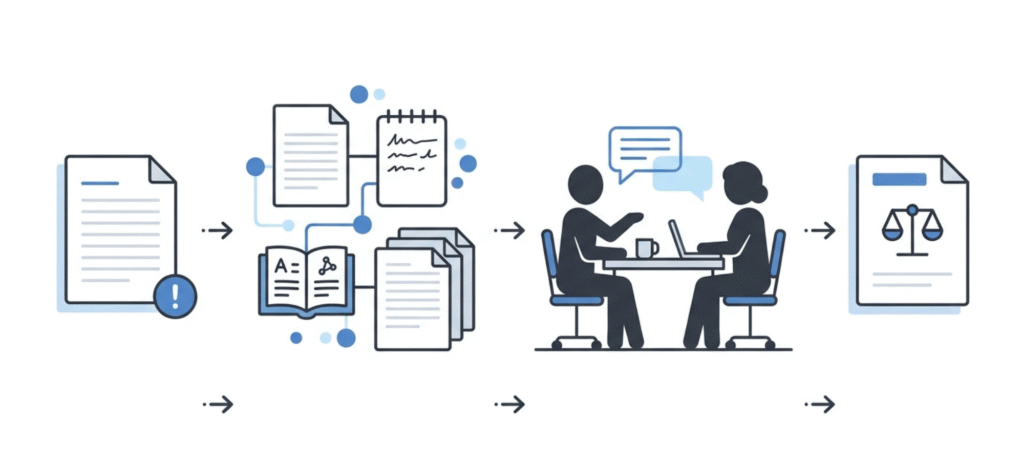
Teachers have a part to play as well. Looking at a flagged paper alongside the assignment requirements, talking with the student about their thinking and checking drafts can show whether a deeper look is really needed.
The best prep is knowing the rules before you submit. Keep your research and drafts organised, cite your sources and disclose AI help when your school asks you to. Our student guide on using AI tools responsibly is a good place to start if you’re unsure where the lines are.
Frequently Asked Questions
Does Schoology detect AI writing?
Not by itself. Schoology doesn’t have a built-in AI detector that scans every assignment. AI detection can come from outside services that a school has connected and turned on.
Can Schoology detect ChatGPT?
Schoology itself can’t tell whether text came from ChatGPT. A connected Schoology AI detector, such as Turnitin or Copyleaks, may analyse eligible text for signs of AI writing. Its result is an estimate, not proof.
Does Schoology check for plagiarism?
Plagiarism and similarity checks can be added through integrations. Whether your work gets checked depends on the tool, the school’s setup and how the assignment was created.
Can teachers see AI detection scores in Schoology?
They can if the school has an integration and the feature is licensed and switched on. Where the report appears, and whether students can see it, depends on the product and its settings.
Can Schoology detect copy and paste or tab switching?
Turning in an assignment is not the same as browser monitoring or proctoring. What’s available depends on the tools your school uses. A submission time alone doesn’t show that someone copied text or used AI.
Does Turnitin always give an AI score?
No. The school needs access to the feature, and the submission has to meet Turnitin’s requirements for word count, file type and language. A missing report doesn’t mean the work was cleared.
What should I do if an AI detector flags my work unfairly?
Ask your teacher what the concern is, keep your drafts and notes, explain your writing process honestly and follow your school’s review or appeal steps. A detector result should be looked at in context.
Conclusion
Here’s the thing about the Schoology AI detector question: it stops being confusing the moment you split the platform from the tools attached to it. Schoology runs the classroom. Courses, assignments, grades. Detection and originality checks? Those come from separate services like Turnitin and Copyleaks, working on their own.
So will your assignment get scanned? That depends on your school. Its licences, its settings, how the workflow was built. And remember, similarity reports and AI reports measure two different things. Neither one can prove cheating by itself.
Are you a student? Learn your school’s AI policy first. Read the assignment instructions closely. Keep a record of how you work, drafts and notes included. If a result looks wrong, ask questions and go through the review process. Knowing what these tools really do, and where they fall short, helps you far more than assuming every Schoology submission gets checked the same way.